
Software buying has a timing problem. Vendor quotes arrive with deadlines. Renewals creep up before anyone's had a real conversation about value. And the savings your team fought for? They disappear into a spreadsheet — or nowhere at all.
The tools exist to fix this. What's been missing is intelligence delivered at the right moment, in the right context, without requiring people to go looking for it.
That's what this release is about. The Proposal Review Agent, Pulse Surveys, and Savings Intelligence are live in Tropic. Together, they're designed to make procurement smarter at every stage of the contract lifecycle.
Proposal Review Agent: Your Expert Advisor, on Demand
When we launched Purchase Prep last fall, the focus was on helping teams cut through the noise of contract renewals — surfacing which of your contracts were actually worth fighting for, and giving you the intelligence to go into those conversations prepared. Teams loved it for exactly that reason: finally, a way to prioritize without guesswork.
But a consistent question kept coming back: what about when a new quote lands?
Renewals are planned. New proposals arrive on someone else's timeline, with a deadline attached. And in that moment — when you're holding a vendor quote and need to know if it's a fair deal — there's no time to dig through the platform, pull benchmarks manually, or wait for a procurement resource to free up.
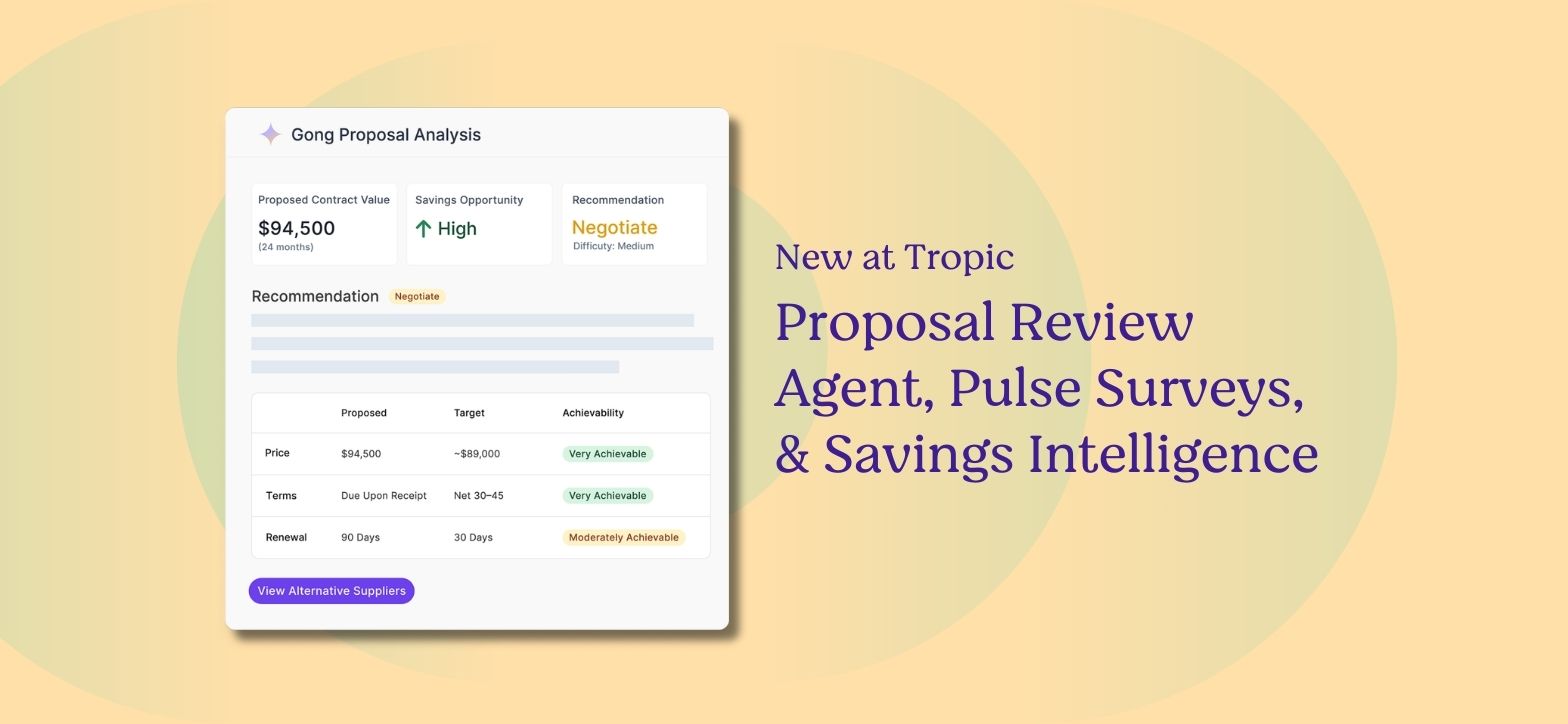
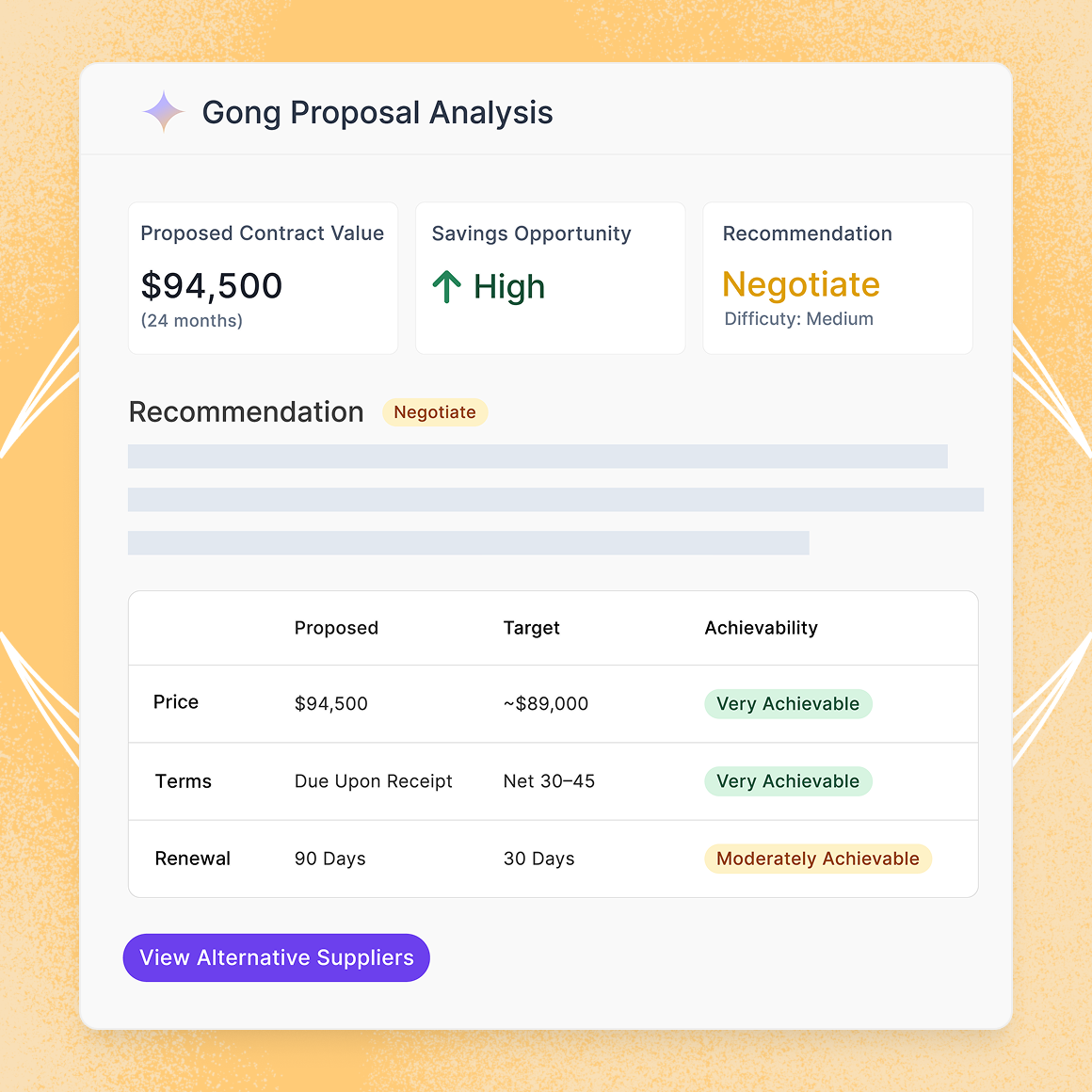
That's the gap the new Proposal Review Agent fills, built for the buying stage rather than the planning stage. Upload any vendor quote into Tropic, and within two minutes, you get:
- A Savings Opportunity: Benchmarked against Tropic's network of $18B+ in software spend data
- A Negotiation Difficulty rating: Low, Typical, Medium, or High, so you know what you're walking into
- A personalized Negotiation Strategy: Step-by-step, with example scripts tailored to your specific situation
No hunting through the platform. No waiting on procurement. No guesswork.
This was Tropic's #1 user request — and it makes sense. Our data and intelligence has always been there. The Proposal Review Agent is what makes it available at the exact moment you need it most.
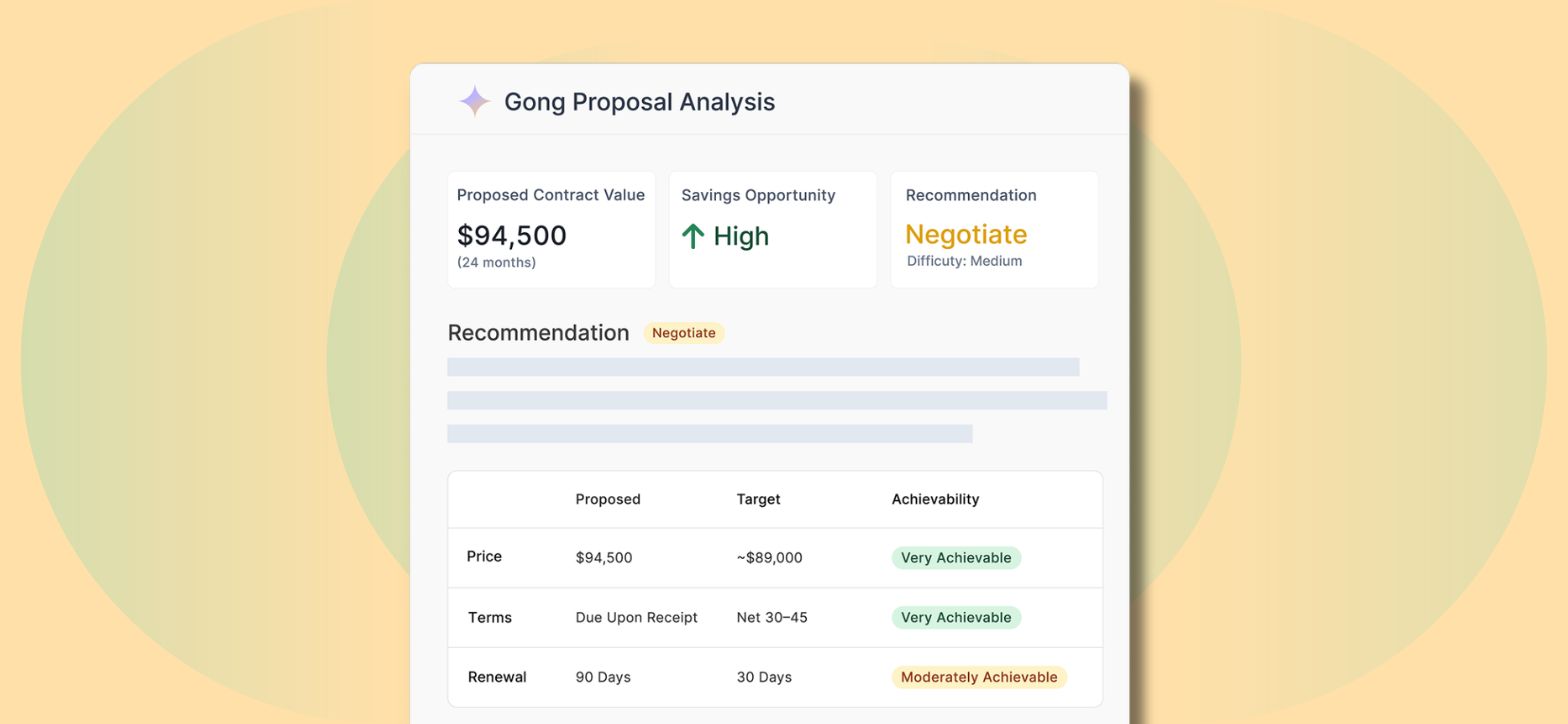
Picture a Sales team lead who has been evaluating Gong and receives her initial proposal. She's not a procurement professional, she just needs to know if the quote sitting in her inbox is fair and what to say when she calls the rep. Instead of submitting a ticket and hoping procurement has bandwidth, she uploads the proposal in Tropic, confirms the line items the AI extracted, and has a benchmarked savings estimate, a difficulty rating of "Medium," and a negotiation script ready to go — in under two minutes.
How to access it: Any page in Tropic → left sidebar → Evaluate Proposal
Pulse Surveys: Automated Stakeholder Feedback, Before Every Renewal
Here's a scenario that plays out constantly: a contract renewal is coming up soon, and nobody has thought to ask the people who actually use the software whether it's worth keeping. So procurement fires off a flurry of emails, chases people down in Slack, and pieces together a picture from five different threads — right when they should be preparing to negotiate.
Pulse Surveys automates the entire feedback loop so that never happens to you again.
Configure it once, and Tropic handles the rest. Surveys go out automatically before each renewal — triggered against your contract reminder dates — distributed via SSO (Okta or Google). There are public links for external stakeholders like vendors or contractors, or manual selection for specific employees when needed. AI aggregates the responses and surfaces renewal recommendations based on sentiment, usage, spend, and criticality.
What's new in this launch:
- Automated distribution: Surveys trigger before renewals without manual intervention
- SSO auto-population: Connects to your Okta or Google directory so you're not building recipient lists from scratch
- External respondents: Anyone can complete a survey, not just Tropic users
- Custom questions: Up to three per survey, in addition to Tropic's standard question set
- Single setup location: Everything configured in one place
.png)
The result is data-backed renewal decisions instead of last-minute scrambles. Procurement gets consistent input. Finance gets reliable data. And the process runs itself.
Think about what that looks like in practice: a procurement manager supporting 200+ contracts sets up automation once. From that point on, every renewal in Tropic triggers a survey to the relevant stakeholders 30 days out — automatically. By the time she sits down to prepare her negotiation strategy, the responses are already in, AI has surfaced a recommendation, and she's going into that conversation with something more useful than gut feel.
How to set it up: Settings → Pulse Surveys → configure automation and SSO
Savings Intelligence: Finally, a Way to Prove What You've Actually Saved
Ask any procurement leader what the hardest part of their job is, and "proving impact" will come up quickly. Benchmarks get consulted. Negotiations happen. Renewals close at better rates. And then... nothing. No record. No report. Just a spreadsheet that someone built six months ago and never updated.
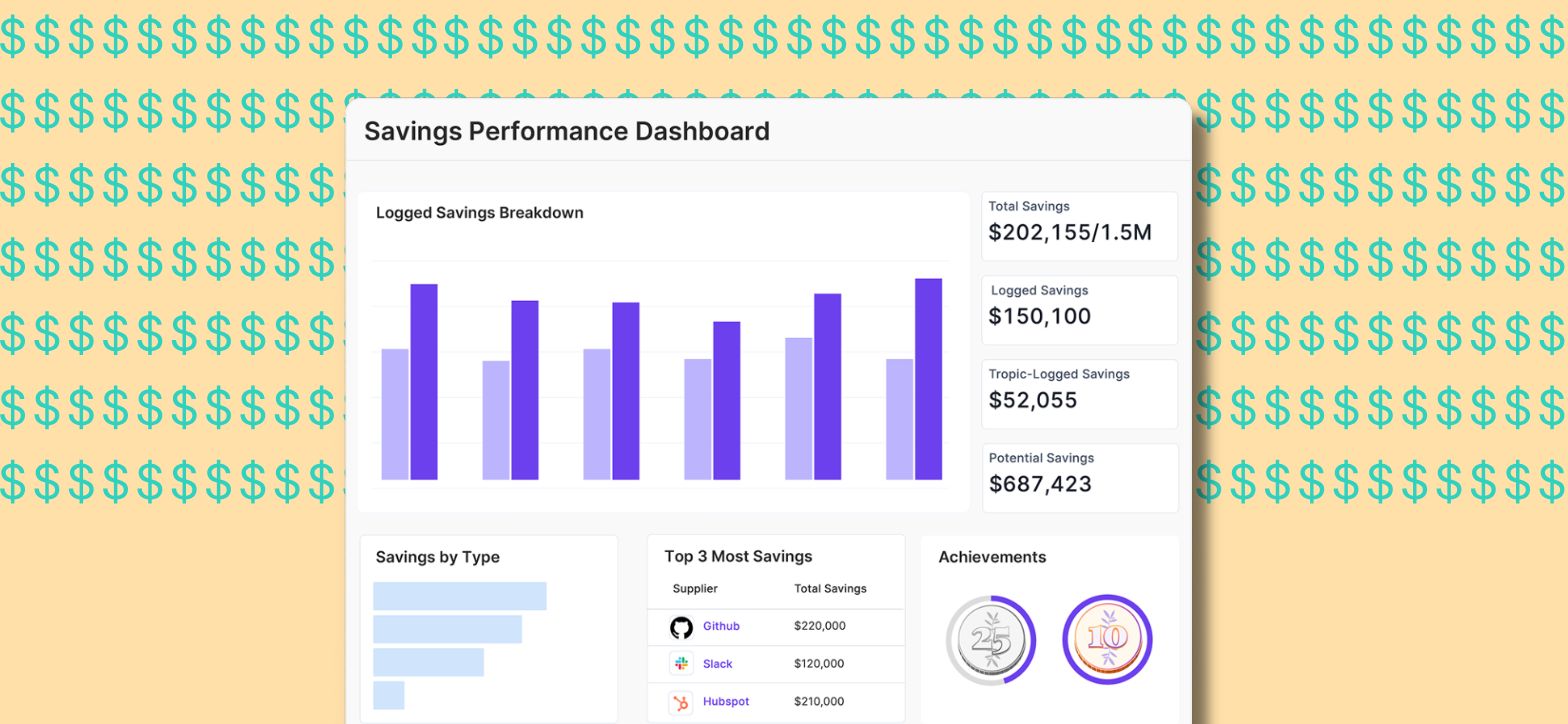
Savings Intelligence closes that loop. When you've used Tropic's intelligence — a benchmark, a negotiation playbook, a pricing comparison — and a contract event occurs, Tropic automatically generates a savings logging task. The form pre-fills with an AI-suggested savings amount based on your contract data. Logging takes under 15 seconds.
That data then lives natively in Tropic, visible on contract pages, supplier pages, and the Performance Dashboard. When a VP of Finance asks what the team got out of Tropic this year, the answer is a report — not a spreadsheet.
A few things worth knowing:
- No setup required: It's on by default for all customers
- AI-suggested savings: Pre-filled using your org's contract data; falls back to network-wide P50 data when org data is incomplete
- Manual logging also available: From the Contract Detail Page, Supplier Detail Page, or Supplier Intelligence Page, without waiting for a triggered task
- Savings Badges: Because recognition matters. Milestone badges like "Six-Figure Saver" and "Million Dollar Club" can be shared on LinkedIn, giving individuals and teams a way to celebrate and communicate their impact
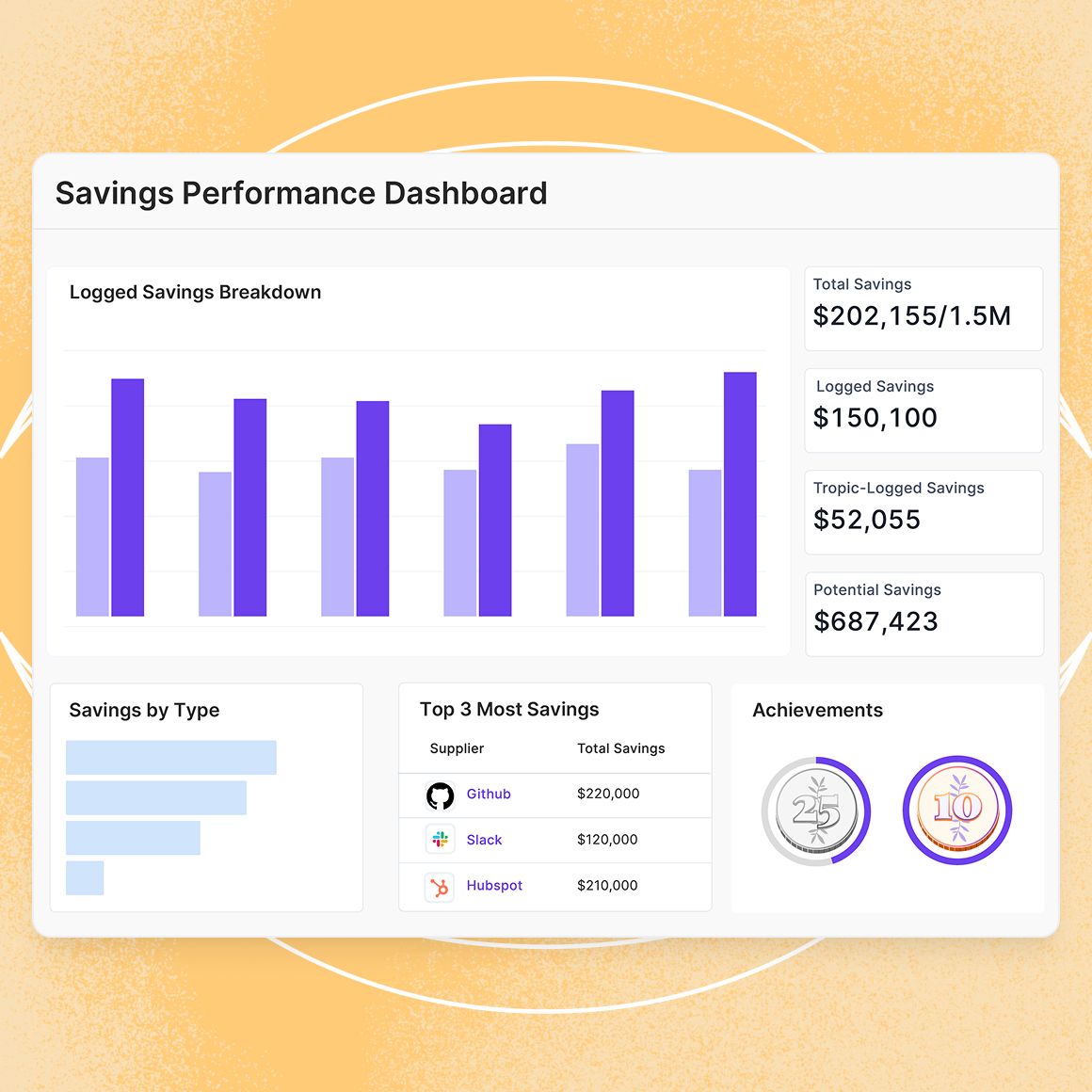
Here's what that looks like on the ground: a procurement lead closes a Figma renewal at a better rate after pulling a benchmark from Tropic. A savings task appears in her Action Center with an AI-suggested savings amount already filled in. She confirms the number, hits submit, and moves on. Six months later, when the VP of Finance asks what the team delivered this year, she pulls a savings report directly from Tropic — no spreadsheet assembly required.
The Thread Running Through All Three
Better tools don't make procurement strategic. Better decisions do. But better decisions require the right information, at the right moment, without an hour of prep work standing between you and the answer.
That's what these three features are designed to deliver — less time spent finding information, more time spent acting on it.
All three features are available to all Tropic customers starting March 10, 2026. Log in to explore them, or contact your account manager to get a walkthrough.
Frequently Asked Questions
What's the difference between the Proposal Review Agent and Purchase Prep?
Purchase Prep helps you prioritize which existing contracts coming up for renewal to focus on during your planning cycle. The Proposal Review Agent is for active negotiation — when you're holding a specific vendor quote and need to know what to do with it.
Can I send Pulse Surveys to people outside my organization?
Yes. Public links allow external stakeholders — vendors, contractors, consultants — to respond without a Tropic login.
Does Savings Intelligence require any configuration?
No. It's on by default for all customers. Tasks are assigned automatically based on who accessed insights and who owns the relevant contract.
What file types can I upload for the Proposal Review Agent to evaluate?
PDF uploads are supported. For best results, use an order form. If the document is long, upload only the relevant pricing pages. Note that only global suppliers are currently eligible for proposal review.
Can I log savings manually, without waiting for an automated task?
Yes — savings can be logged from the Contract Detail Page, Supplier Detail Page, or Supplier Intelligence Page at any time.

Related blogs
.png)
Drive savings and efficiency at any stage
Discover why hundreds of companies choose Tropic to gain visibility and control of their spend.